
Kestrel
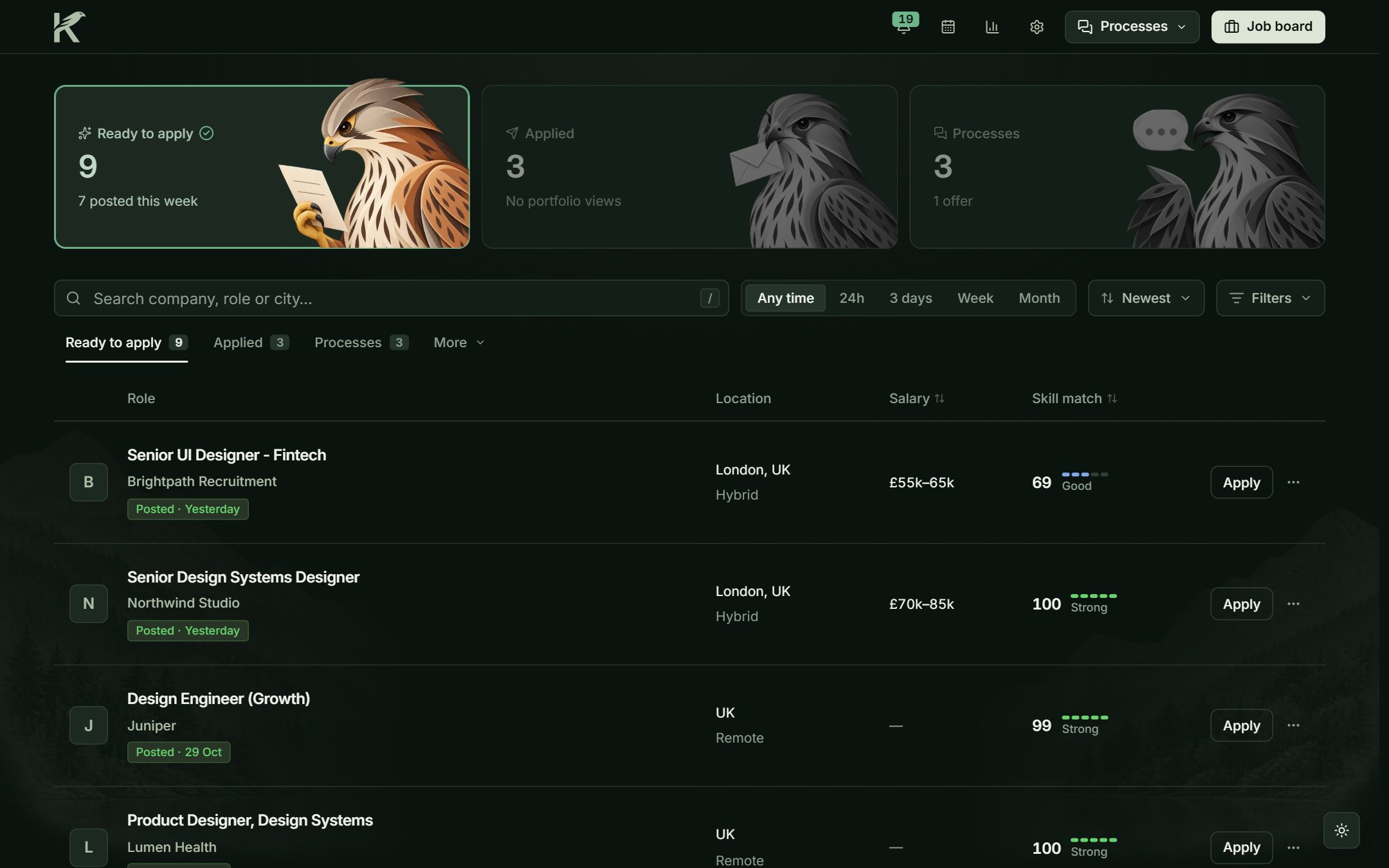
I built Kestrel while looking for my next role. It finds job offers, tells me which ones are worth my time, prepares the CV and the letter, and keeps track of each application.
My role · Everything, for one user: product, design system and code, in TypeScript and Next.js with AI coding tools. No team, no client, no deadline but my own job search.
- ~30 minsaved per application, estimated
- Automaticnew offers found to match your profile
- One workspacefrom discovery to the reply
How the pieces fit
I wanted everything to hang off a single record per offer. It comes in through a board’s API, from LinkedIn’s public pages or from a page I add myself, and from then on it is one row that gets scored, gets its documents and collects whatever happens until the company answers. Three rules from day one: it is for one person, my data stays on my computer, and nothing is sent without me pressing the button.
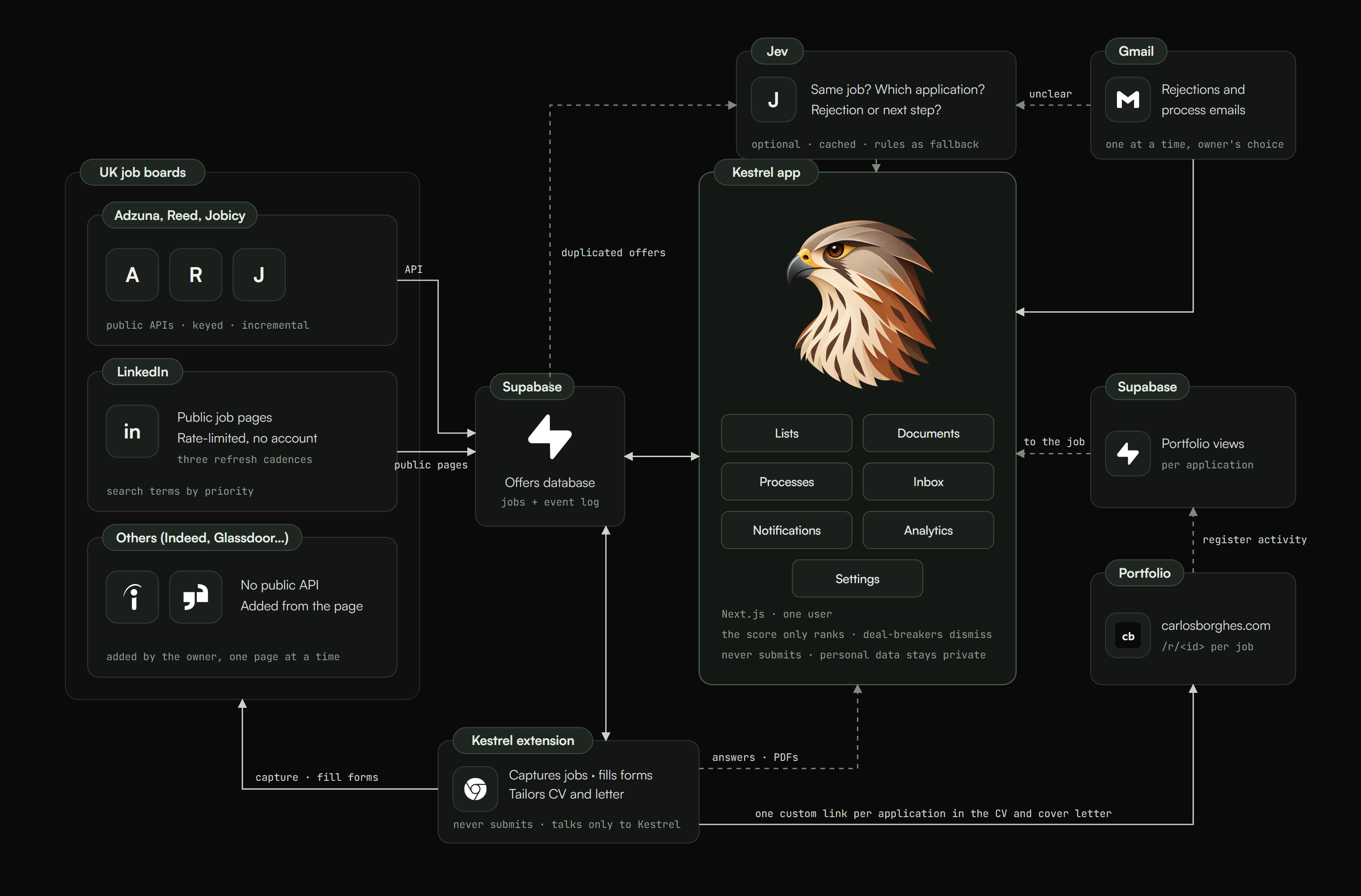
- 01FetchEvery source, in parallel
- 02DiscoverNew boards from links
- 03EnrichFull text before scoring
- 04EvaluateScore and deal-breakers
- 05DedupeOne record per job
- 06SaveJobs and their events
It only knows what I wrote down
Seven tabs I filled in once. Each field says on screen where it is used, because I kept forgetting which one fed the forms and which one fed the search. Most of the deal-breaker words got there after an offer slipped through that should not have.
Profile
The facts forms ask for
Right to work, expected salary, notice period, standard answers.Search
Which terms, at which priority
Salary floor, office cities, remote regions, max age.Deal-breakers
Word lists
Titles, sectors, companies and tools that dismiss.Documents
CV and letter parts
Written once; every job gets its copy.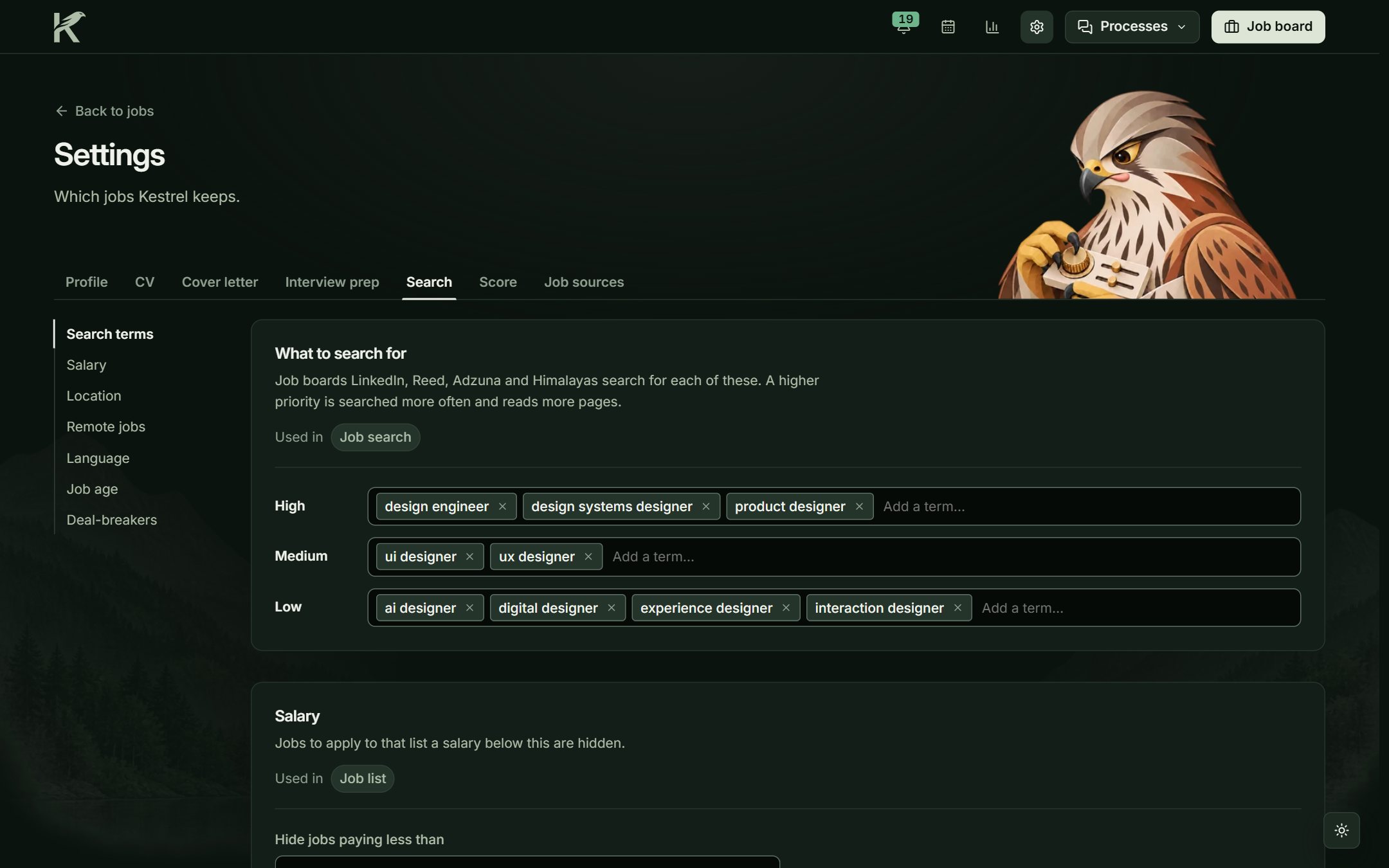
What counts, and what I decided should not
The first version scored everything, including how much of my CV the ad covered. It felt thorough and it was useless: nearly every job landed in the same band. I cut it down to two parts, title and topics in the description. Location, salary and deal-breakers still decide whether an offer is kept, with the reason written next to it, but they no longer move it up the list.
Title
Patterns with points, scaled to the highest
Perfect 80 · good 60 · acceptable 40. The title decides the order.Skills
Topics in the description, by level
Very important 6 · important 3 · nice to have 2. What Settings shows is what counts.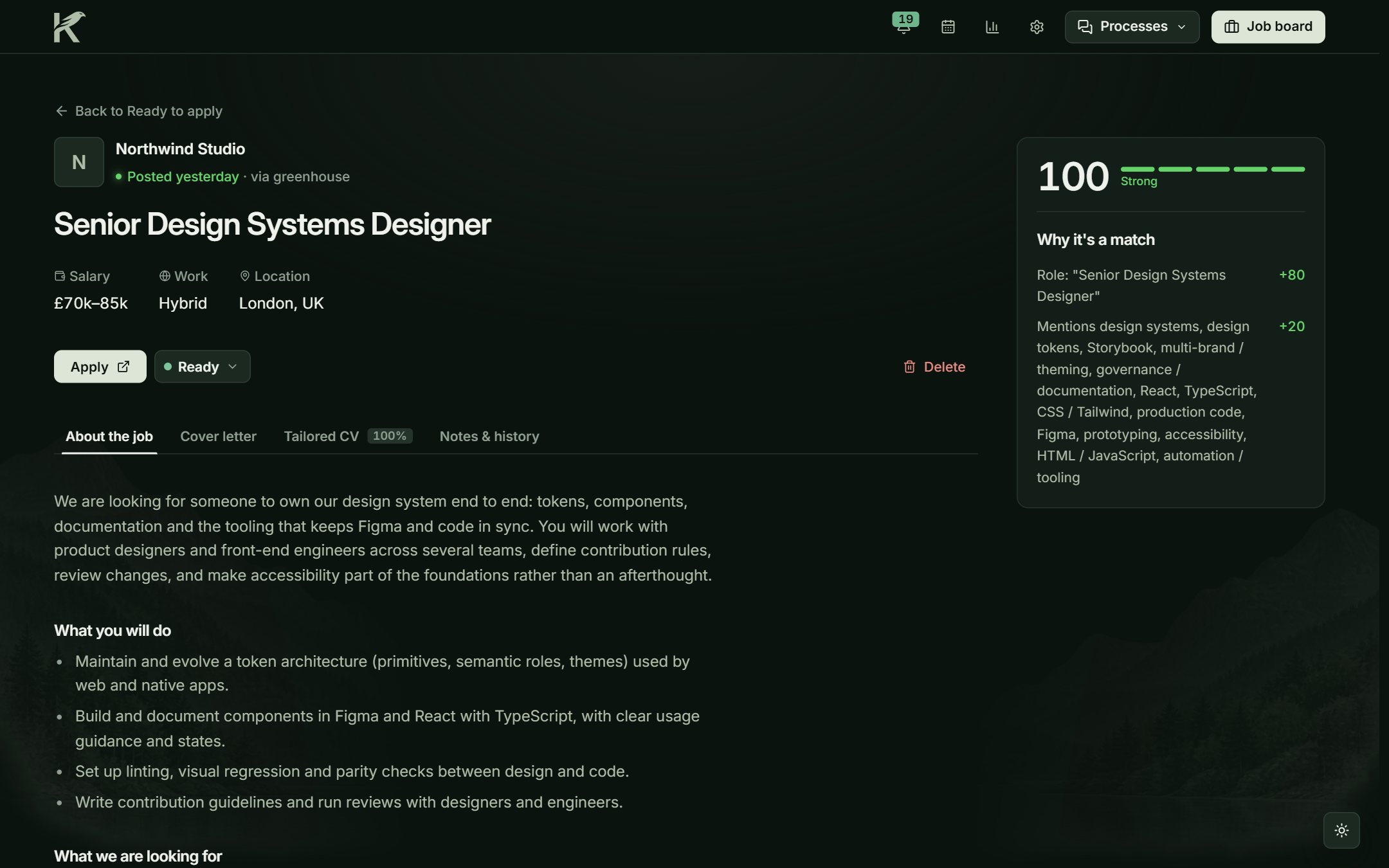
One CV, one copy per job
I write the CV once. For each job Kestrel makes a copy: it picks the title from my list closest to the advert and moves the most relevant bullets up. It never writes a line I did not write. The letter is assembled from the three achievements on my list that fit the description best. Both come out as PDFs with a portfolio link unique to that application.
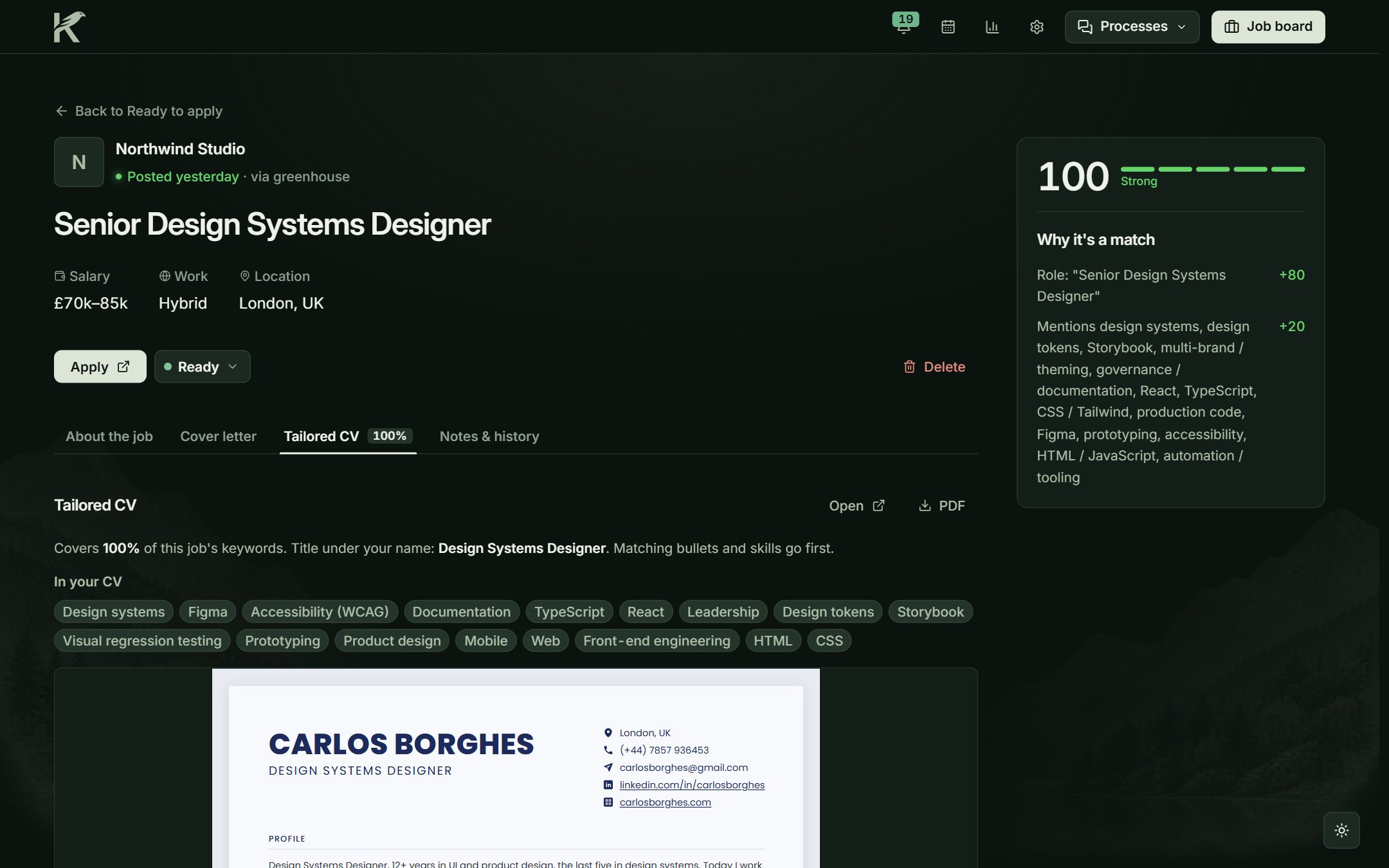
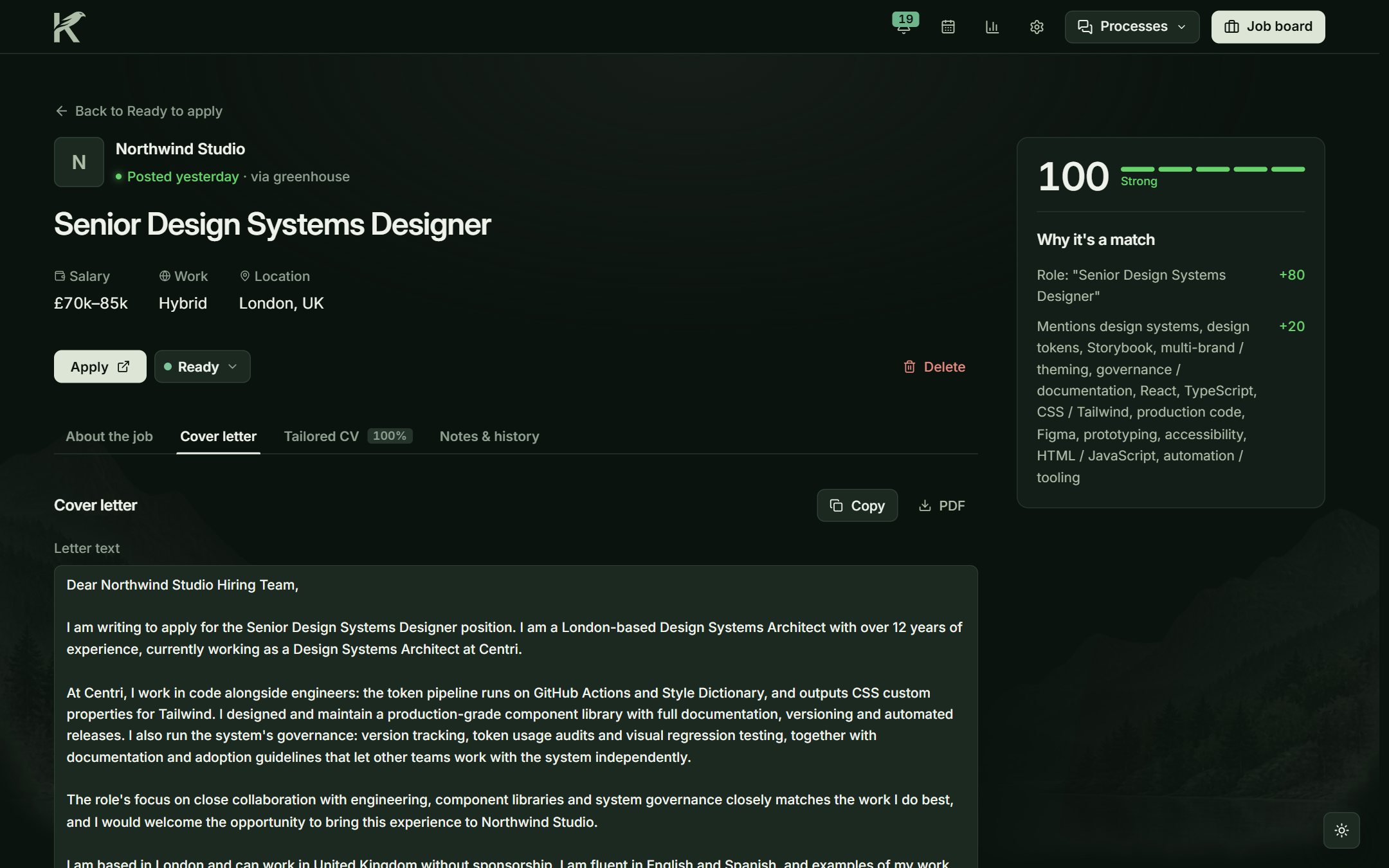
It fills the form. I press send.
On an application page I click the extension. It fills in what it knows, attaches the CV and the letter and marks what it could not answer. I read it through and submit it myself; it never clicks the button. Afterwards, portfolio visits and the Gmail emails I file land on that application.
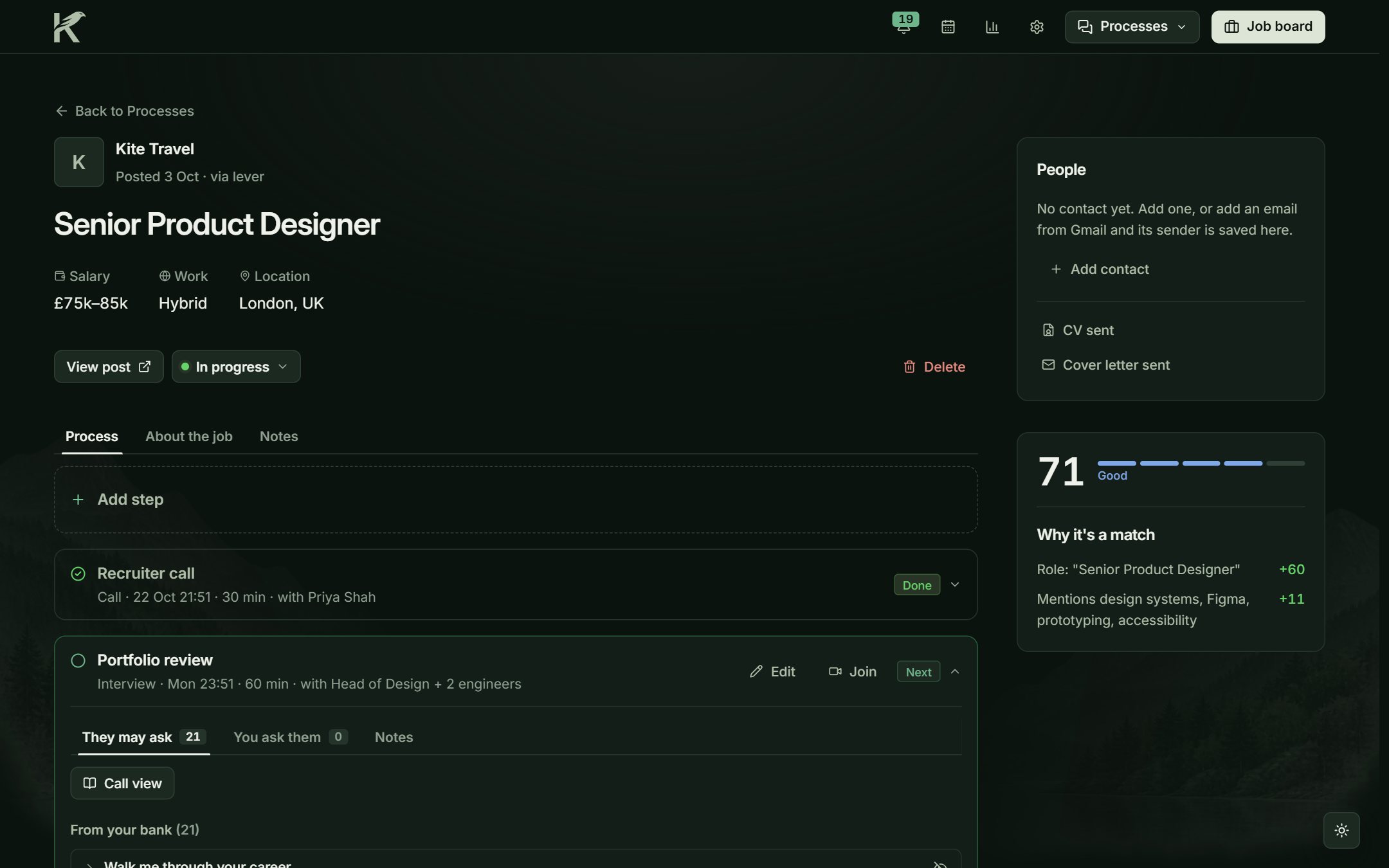
The part I care most about
If Kestrel decides something, I can see why in the interface: the score with its points, the dismissal with the rule it tripped. Nothing hides behind a number.
Three decisions I would make again. The CV is one module that renders in Settings, on the job page and in the PDF, so what I preview is what the recruiter receives. The Score page explains itself with three invented jobs, because a rule I cannot read in the app is a rule I will not trust. And the extension stops before Submit, not because it cannot press the button, but because sending an application is my promise, not the tool's.
Where it stops is deliberate too: when it is not sure, it flags the item instead of deciding.