Kestrel
I designed and built Kestrel on my own, in a few weeks, to run my own job search. It finds roles, ranks them by rules I can read, tailors my CV and letter to each one, and tracks every application. Every screen is built on Nest, my own design system.


 Job board APIsAdzuna · Reed · JobicyNew listings arrive through the public APIs of Adzuna, Reed and Jobicy. Each run imports only what is new.
- LinkedInPublic job pagesPublic job pages only, with no account. Requests are rate-limited, and high-priority searches refresh more often.

 Other job boardsIndeed · GlassdoorOn Indeed and Glassdoor nothing runs by itself: I capture a listing from its page, one at a time.
- SupabaseOffers databaseThe offers database: every listing, and the log of what happened to it.
- JevDuplicates · unclear emailsAn optional AI helper. It spots duplicate listings and classifies emails that are unclear, with cached results and fallback rules.
- GmailRejections · updatesRejections and hiring updates. I add each email to the application it belongs to.
 KestrelRanks, tailors, tracksThe app, built with Next.js. It scores and ranks jobs, tailors the CV and cover letter, and tracks each application.
- Kestrel extensionSaves jobs · fills formsA Chrome extension. It saves jobs, fills application forms with known answers and attaches the PDFs.
 Portfoliocarlosborghes.comThe CV and cover letter carry a link unique to each application. A visit to the portfolio is recorded against it and shown in Kestrel.
Pinch or double-tap to zoom in, then drag to move.
*Click a box to read what it does.*Tap a box to read what it does.
Kestrel architecture. Job boards feed the Supabase listings database. Kestrel tracks applications, Gmail updates and portfolio visits. Its Chrome extension saves jobs, fills forms and attaches the tailored documents.
Job search was spread across many sites
Finding a role meant checking many sites, and nothing connected them. I needed one place to find roles, decide which fit, prepare the documents, fill in the forms and keep track of each application.
- Many sitesI checked 5 to 10 sites by hand every day: company pages, job boards and LinkedIn.
- Repeats and noiseThe same role appeared on several sites, and many listings never matched what I was looking for.
- Documents and forms by handEvery application needed a CV and a letter adapted to the role, and the same answers typed into yet another form.
- No trackingI had nowhere to see where each application stood, or which replies I was waiting for.
One record per job, three rules
Kestrel keeps one record for each job, from the first listing to the last reply. The score, the CV, the letter, the emails and the portfolio visits all belong to it.
I made Kestrel deterministic on purpose. A recruiter reads these documents, so nothing in them can be invented. Kestrel arranges what I wrote, and I can always trace a result back to a rule.
One job, from listing to reply
-
Step 1
Kestrel finds it. A search runs in the background every hour. The new job lands in Ready to apply with its source and salary.
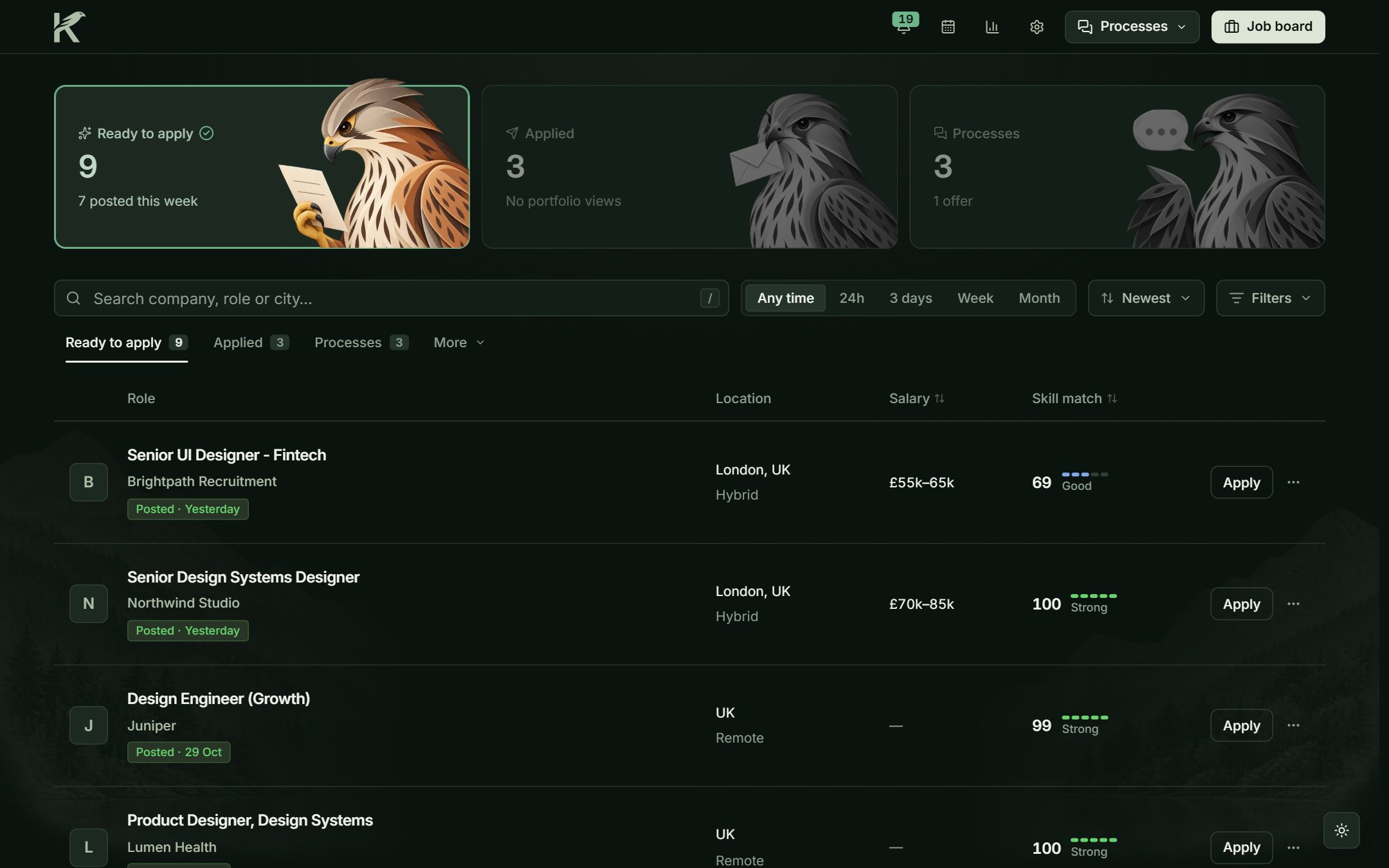
Sample jobs ranked by score, with salary and location. -
Step 2
It gets a score, with reasons. The title sets the level. The topics in the description order jobs within it. The job page lists every reason.
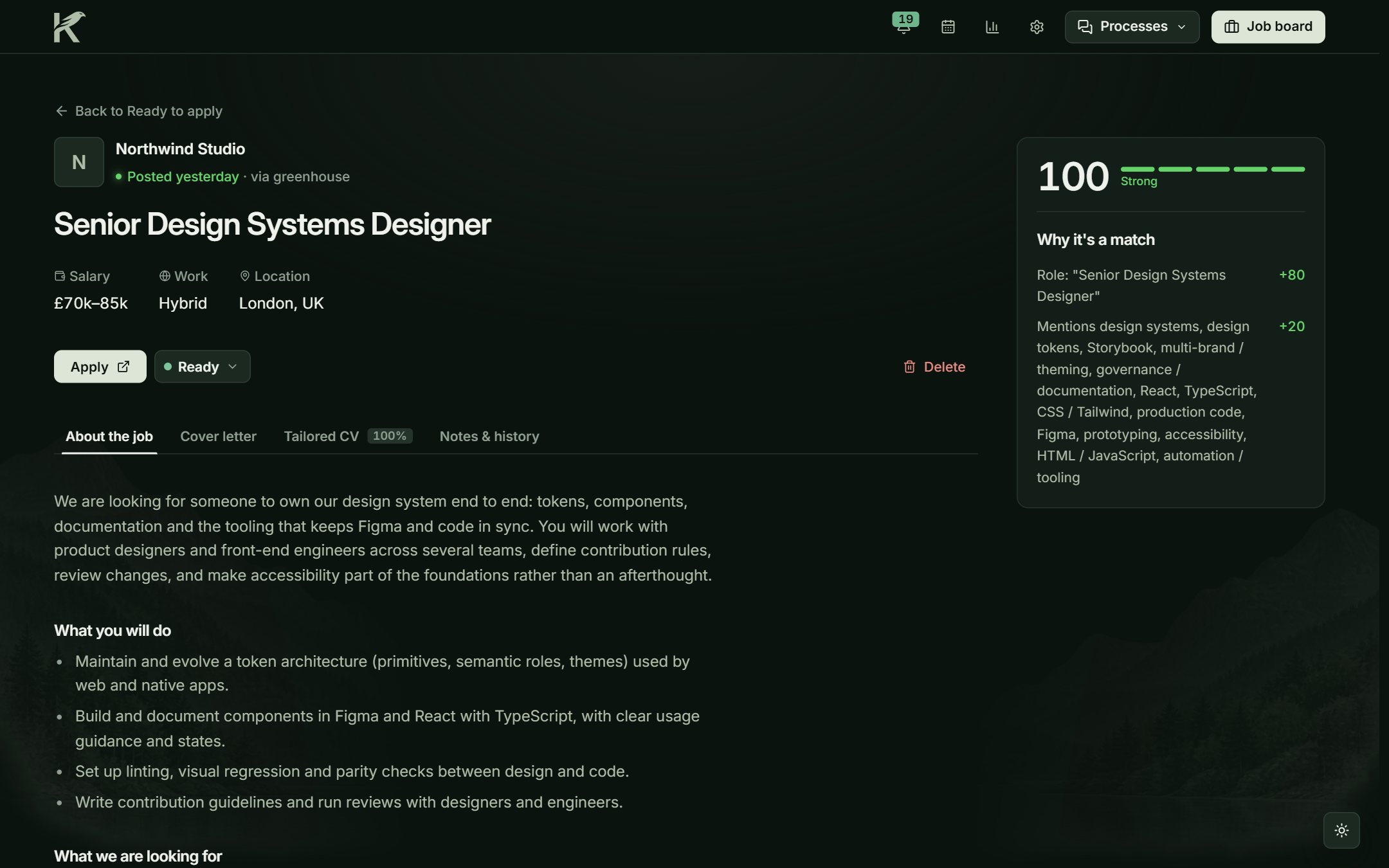
Each job shows how it earned its score. -
Step 3
The documents are ready. Kestrel builds the tailored CV and the letter when it saves the job. I read them before I apply.
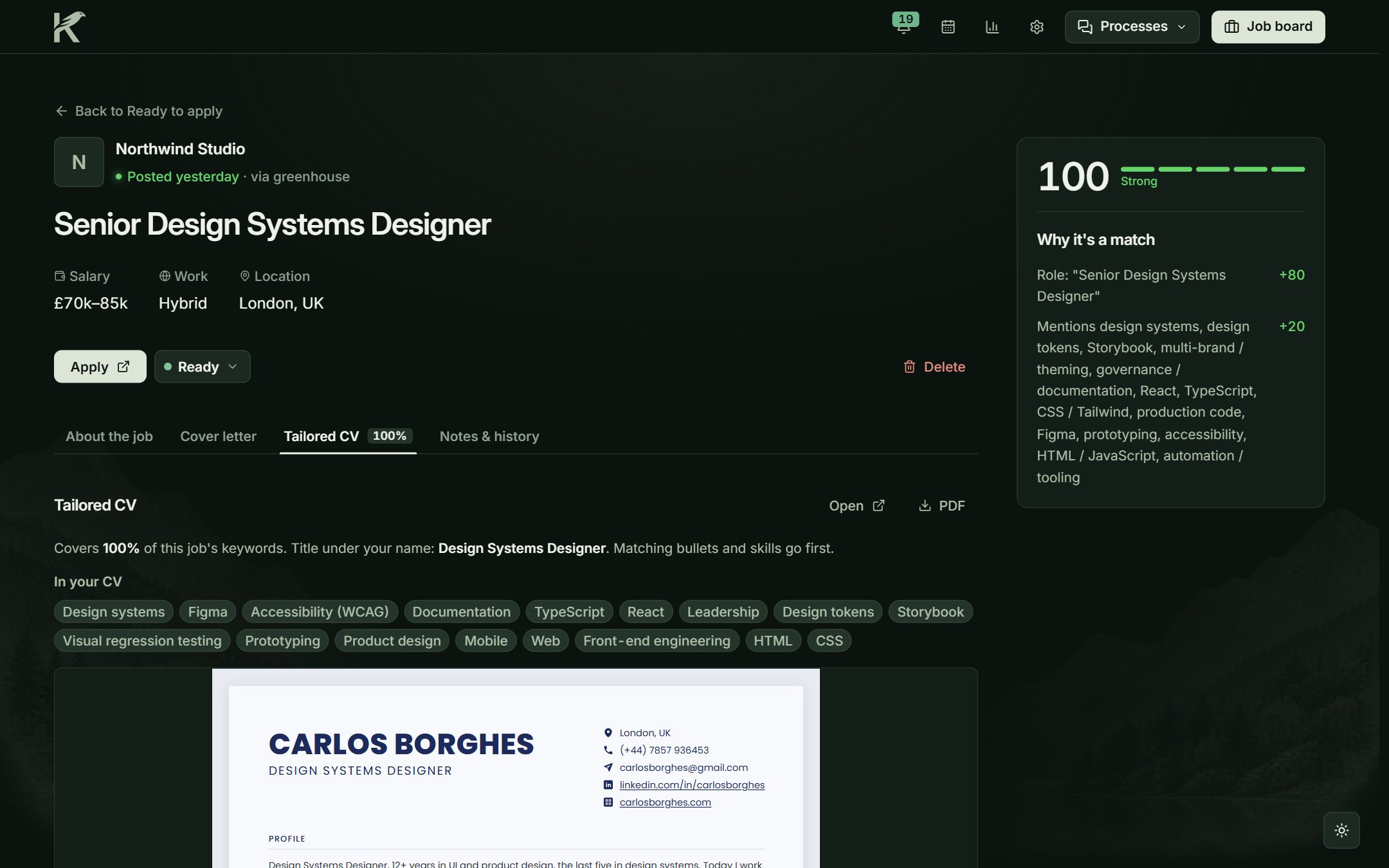
The tailored CV, with matching keywords at the top. -
Step 4
Replies join the same record. A clear email from the company moves the application by itself. I add the rest. The Process tab keeps the steps, my interview notes and who opened my portfolio.
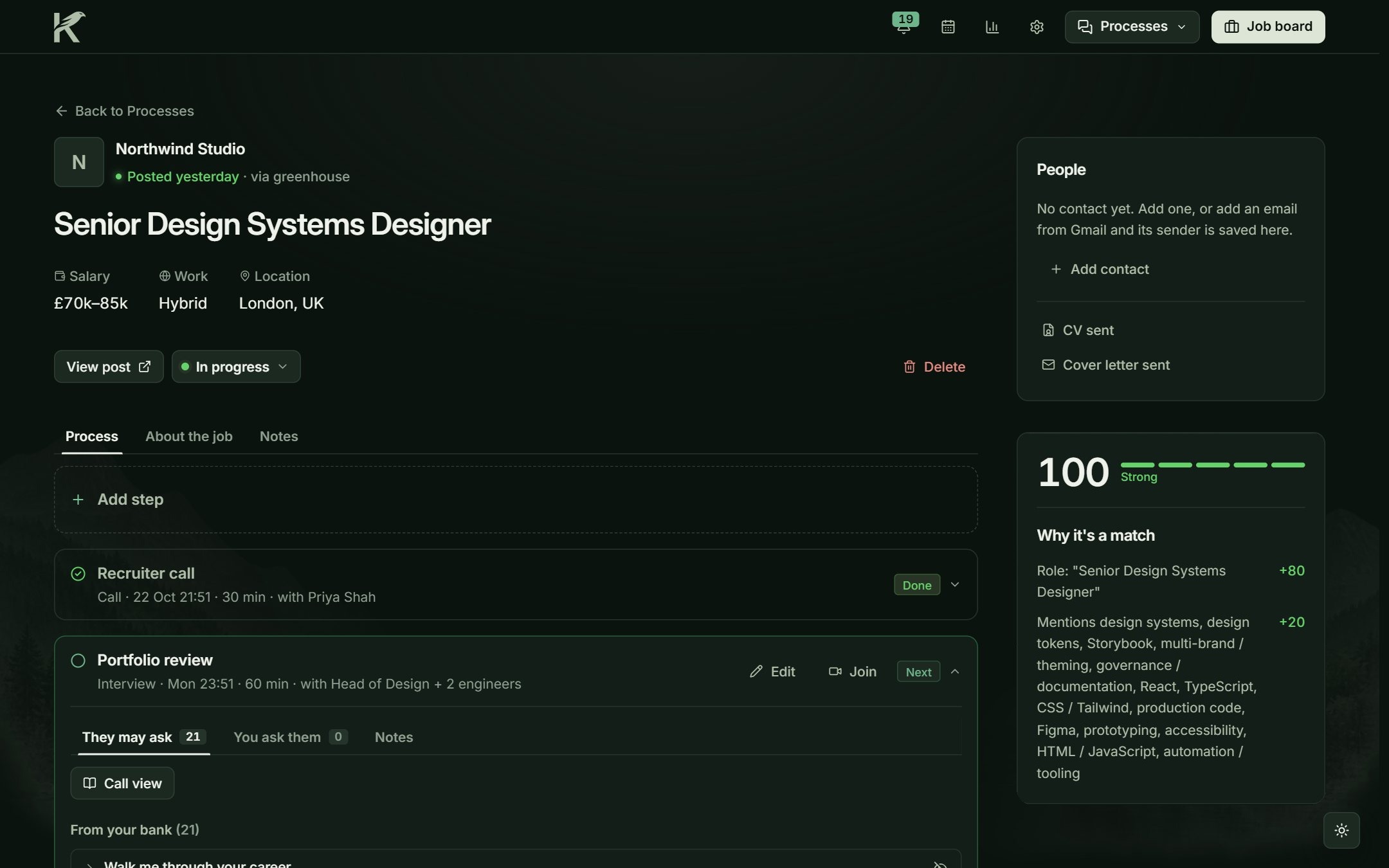
The Process tab after a recruiter call.
A score that ranks, and never rejects
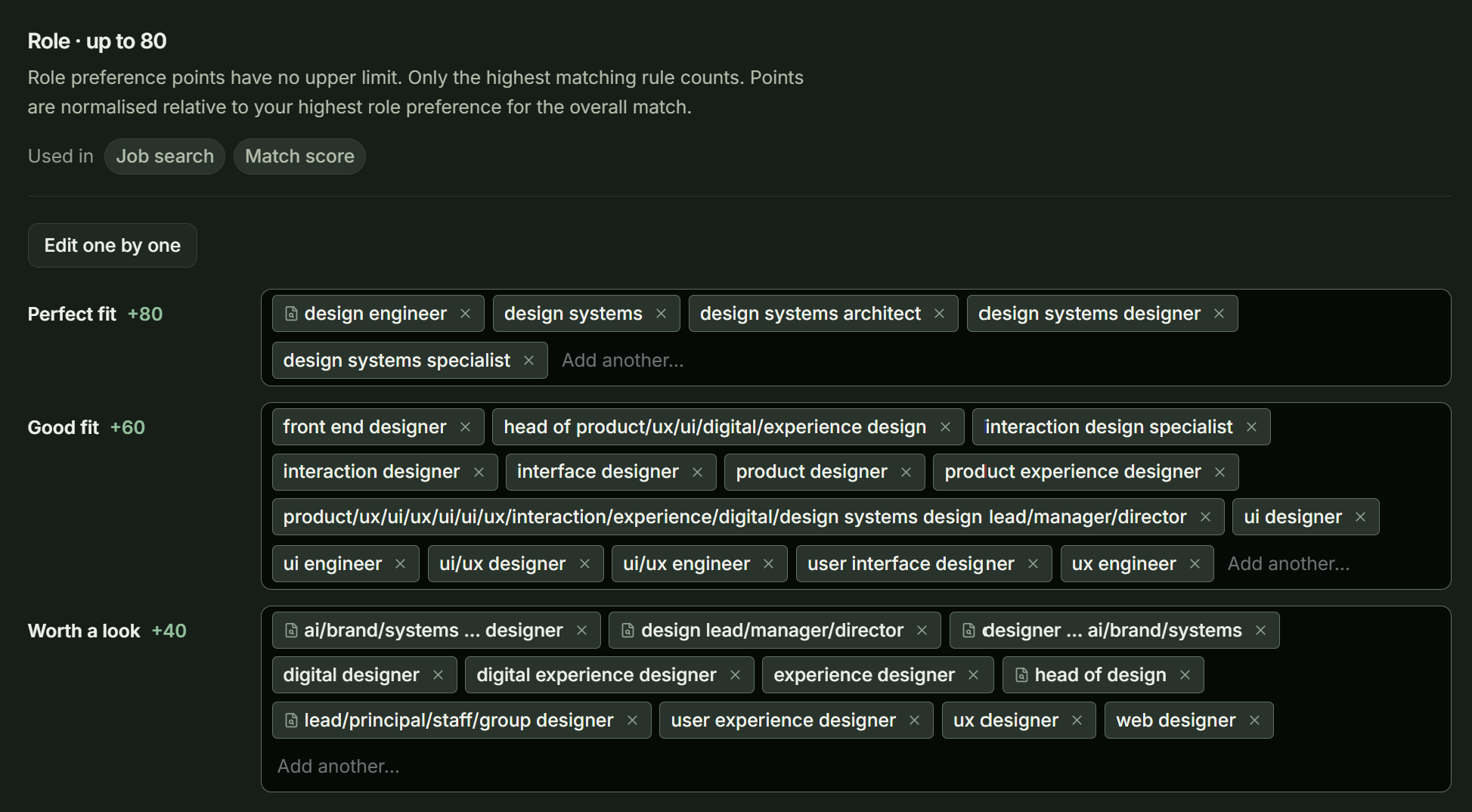
The job title sets the level: Perfect fit, Good fit or Worth a look, for up to 80 points. Only the highest matching title counts.
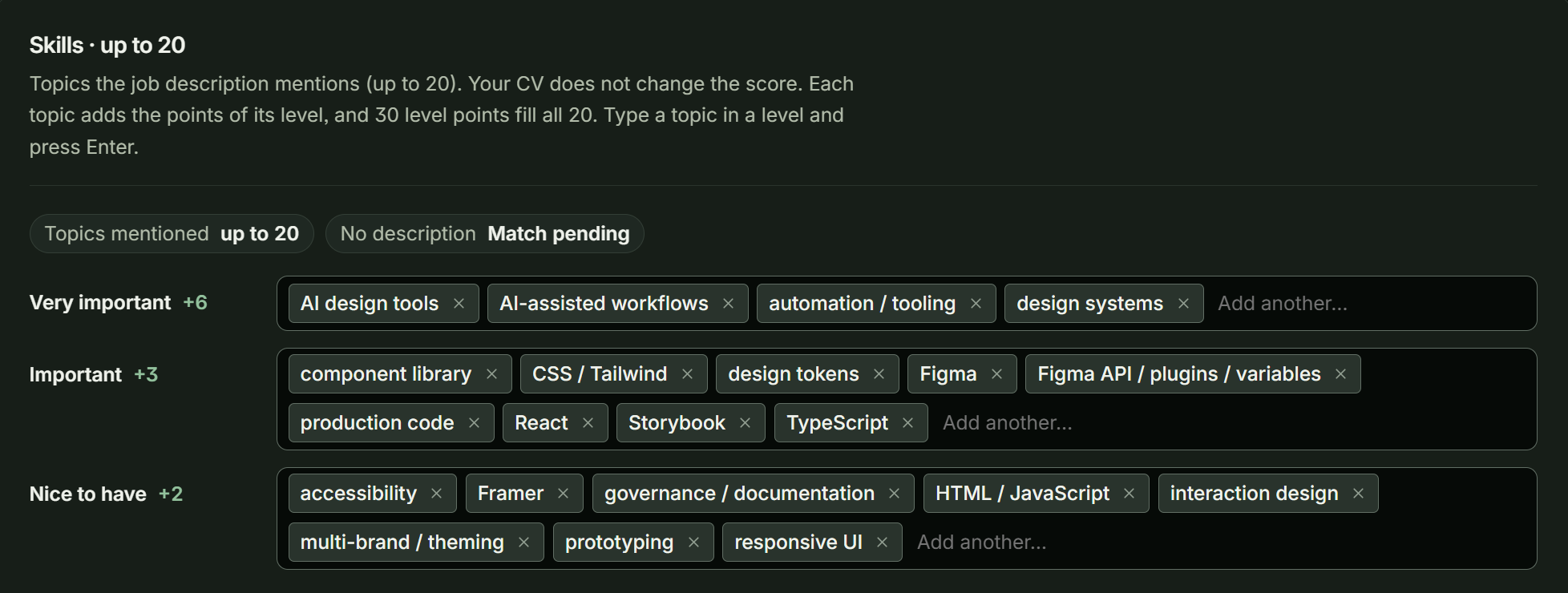
The topics in the description add up to 20 more points. Each topic adds the points of its level, so a long list of keywords can’t lift a weak title.
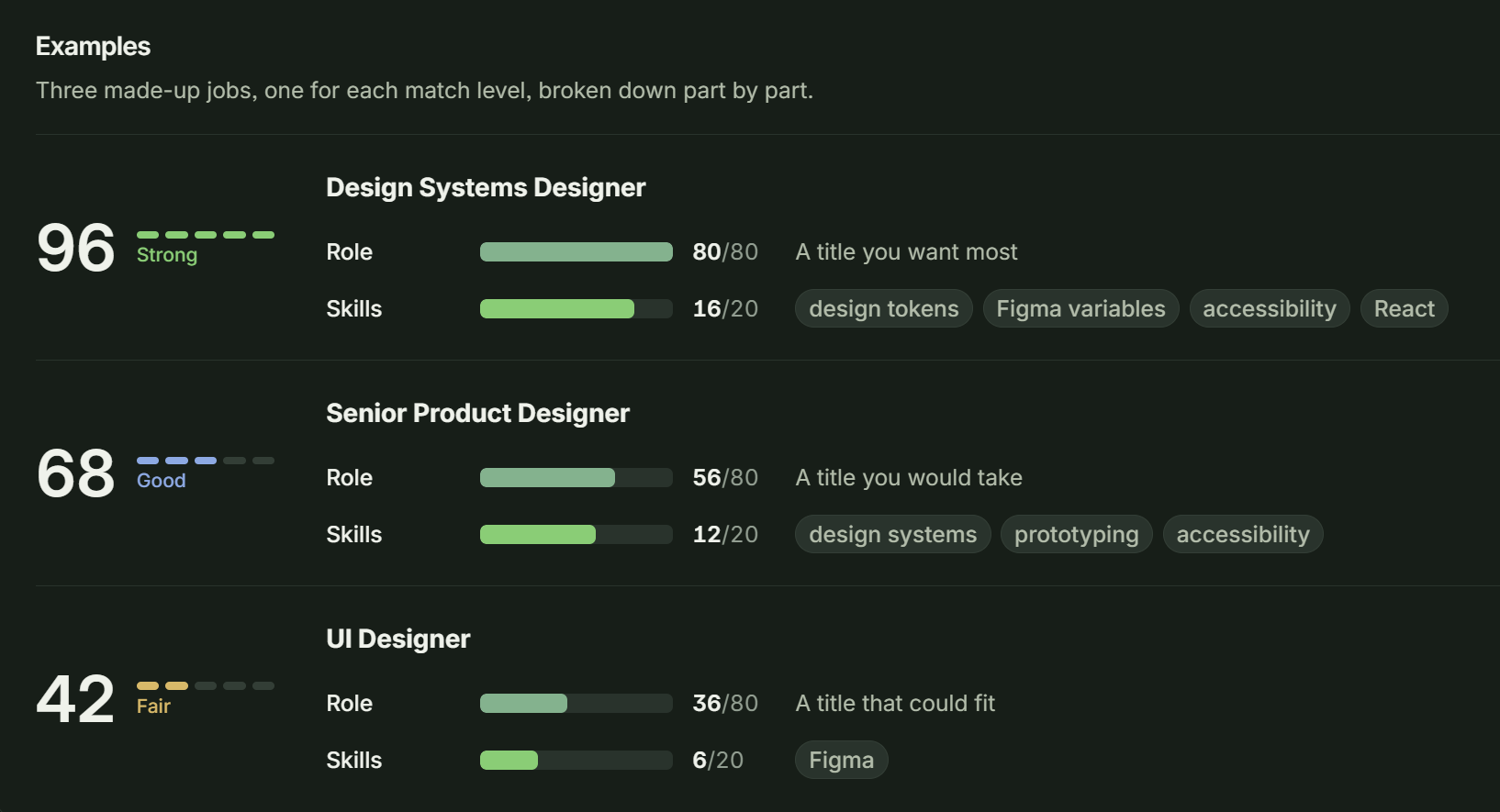
The two parts add up to a score out of 100: Strong, Good or Fair. Each job shows its points, part by part.
The score never removes a job. Only my exclusion rules do, and each one names its rule. A job Kestrel can’t score shows “Not scored”, never a misleading zero.
Same facts, a different order for each job
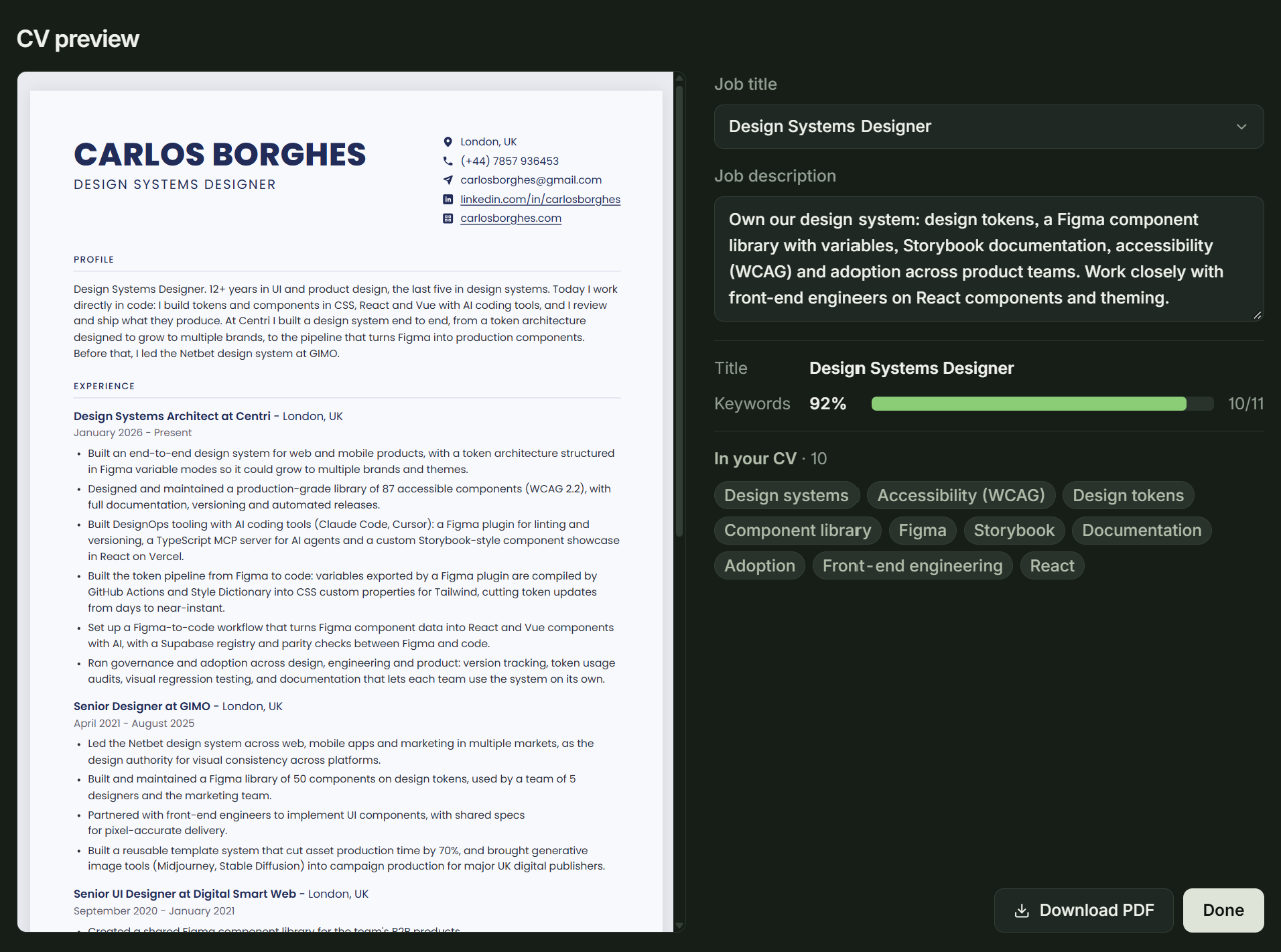
I keep one CV. For each role, Kestrel picks the closest of my own headlines, puts the most relevant bullets first in each role and reorders my skills. It never adds anything I didn’t write, and no AI writes a word of it.
Kestrel on the page where I apply
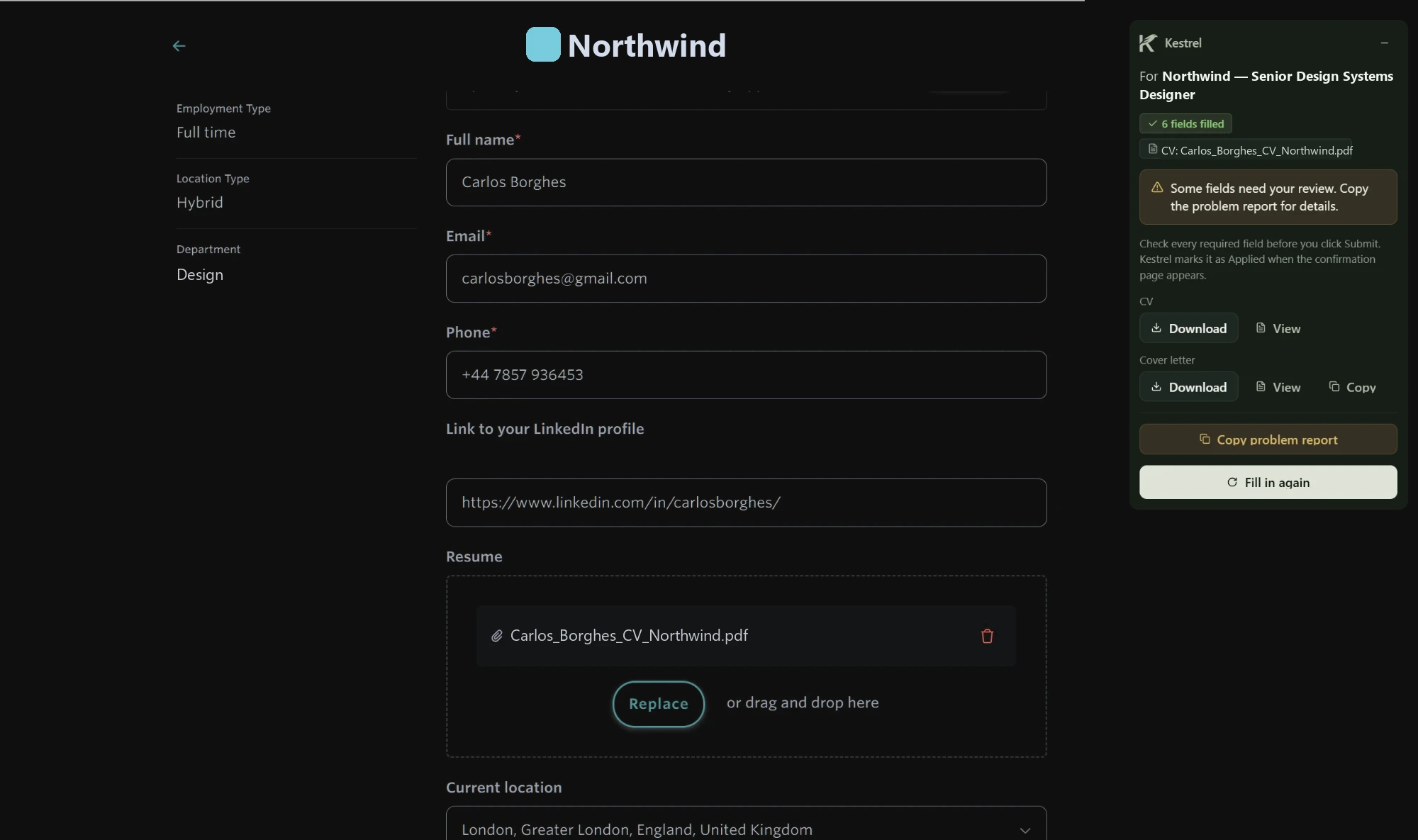
A Chrome extension brings Kestrel into the application form. It fills the answers it knows, attaches the tailored PDFs and lists what it left for me. On sites Kestrel can’t search, a button saves the job to Kestrel.
Its limits are part of the design. It never presses Submit, never solves a CAPTCHA and never fills anything on LinkedIn or Indeed. It talks only to Kestrel on my own computer.
Many sources, one list, each job once
- Company pagesHiring systemsGreenhouse, Lever, Ashby and others publish each company’s roles. Kestrel reads the companies I follow.
- Job boardsAPIs and feedsReed, Adzuna, Google Jobs, Remote OK and Into Design Systems, searched by term, each at its own pace.
- LinkedInPublic searchIts public search, with no account, at one request every three seconds.
- Company pagesHiring systems publish each company’s roles. Kestrel reads the companies I follow.
- Job boardsReed, Adzuna, Google Jobs and others, searched by term, each at its own pace.
- LinkedInIts public search, with no account, at one request every three seconds.
- Plain rulesSame company, same titleRules catch the easy copies: the same company and the same title, even when it says “Sr.” instead of “Senior”. The company’s own page wins.
- Small AI modelOnly close titlesFor titles that are close but not equal, a small AI model answers one question: is this the same job? It only says yes or no, and it never writes anything. Without it, Kestrel keeps the plain rules.
- One listEach job onceEvery source arrives in one ranked list, with each job once.
*Click a box to read what it does.*Tap a box to read what it does.
What changed in my search
- One listEvery source arrives in one ranked list, with duplicates removed.
- Reasons, not guessesEach listing my rules remove shows the rule that did it.
- Documents before the formThe CV and letter are ready before I open the application.
- Nothing forgottenEach application keeps its emails, steps and portfolio visits in one record.